



Lucho8
Members
-
Joined
-
Last visited
-
 Thanks for the info! I am leaning towards that head right now. Can anybody recommend a nice shaft for it? I like high kick shafts with stiff tip, I currently play an Oban Devotion 70gram shaft on my Adams 9015d. What is similar on the Crazy shaft lineup? Swingspeed 111-112 with somewhat agressive move thru the ball. Appreciate all the help. Thanks
 -
Thanks for helping, I saw they have that option and recently they added the Jbeam 435 in lefty. Is that one good? I see a lot of posts discussing the crz 435 I & II but not a lot of the regular one. Any feedback on the Lefty jBEAM 435? Thanks
-
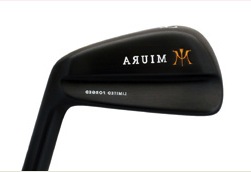
Hello guys, I am new to this forum and my first post. I been following this community for a while and finally decided to sign up. I been playing Miura blades and wedges for the past 3 years and decided I would also like to play a JDM driver. From reading on these forums it seems the quality and feel are much better than domestic and that is exactly what I am looking for. The only problem is that I am LH and the selection is limited. I am calling all JDM experts to help me out or maybe guide me in the right direction on selecting a LH head. I read great things about Ryoma, Kamui, Epon, Jbeam and many others but I can only find the Jbeam 435 in LH. Is that about it for leftys or is there other options? I will appreciate all the help! Thanks!