




gnead
Members
-
Joined
-
Last visited
-
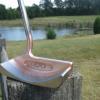 Actually I need to clarify this, there are a lot of machines that do this engraving made by many Different mfg dating back 150 years or so, the straight line machine I have I one of 10 thy we made By the mfg that made it, they are very rare and extremely hard to find, they are mostly made for the Watch and jewelry industry, I purchased my machine and restored it myself as well as modified it for My application. The face is ingraved to very close tolerances on a machine that was built in 1929. I do also own a rose engine lathe but have yet to finish the refurb on that machine yet. Gene