




Geo.
Members
-
Joined
-
Last visited
Everything posted by Geo.
-
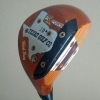 Does anyone know what the black gloss finish is? Is it tinted chrome, anodized nickel? Also, same Q' for the twilight finish.
 -
Hey all, I'm looking forward to learning all the pro's & con's of Japanese clubs and equipment. I've been at it for 45-years...played through-out juniors; college; 13 yrs. grinding out the mini's and now watching my golf money being spent by my kids. I'm really excited to put together a full set of new equipment...currently staring at my Cubic Balance MPF irons, my Srixon W-506 driver (still rocks), a couple crappy old TM wedges and my old trusty Anser-4. Haven't played much since '98 but I've got the itch again. Looking forward to gaining from all the collective experience and knowledge...cheers! Geo.