Jump to content
View in the app

A better way to browse. Learn more.

Japanese Golf Clubs at Golf To Impress

A full-screen app on your home screen with push notifications, badges and more.

To install this app on iOS and iPadOS
  1. Tap the Share icon in Safari
  2. Scroll the menu and tap Add to Home Screen.
  3. Tap Add in the top-right corner.
To install this app on Android
  1. Tap the 3-dot menu (⋮) in the top-right corner of the browser.
  2. Tap Add to Home screen or Install app.
  3. Confirm by tapping Install.

lowrent

Members
  • Joined

  • Last visited

  1. Ok cool, I will do that. I will remove this and add an official post. Im bad at reading rules. So its much appreciate. AHhhhh!! it has pics, I have no excuse! Aloha
  2. Ohh, my bad. I'm guessing the "used/new/ not really sure" part. I appreciate the heads up. I will edit.
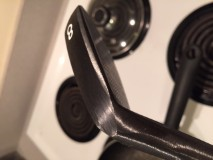
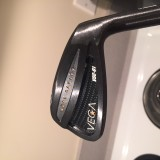
  3. I love these irons, unfortunatlety raw and hawaii aren't friends. Wouldnt mind trading for something equally sweet., I cant find it in myself to hit them. They are mint. . Have project X 6.0. 900 shipped to the US

Configure browser push notifications

Chrome (Android)
  1. Tap the lock icon next to the address bar.
  2. Tap Permissions → Notifications.
  3. Adjust your preference.
Chrome (Desktop)
  1. Click the padlock icon in the address bar.
  2. Select Site settings.
  3. Find Notifications and adjust your preference.