May 8, 200422 yr I am currently playong the 202's but i love the look of the x-blades. what are the major differences in: 1. forgiveness 2. offset 3. feel 4. topline Thank you. joe :)
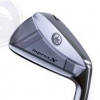
May 10, 200422 yr Maybe I shouldn't reply so quickly as I only played the xcb for 1 round. FYI, my 202 & xcb has the same shaft, length & swing weight. Forgiveness - very similar, but I gave a slight edge to the 202s. Offset - xcb has slightly less offset. Feel - Both are very soft. Althought they are the same swing weight, the xcb feels a little heavier than the 202. Topline - xcb is slightly thinner. xcb looks to about 10% small in size than the 202. The xcb is exactly what I was looking for. A club that's a little smaller than the 202, but with similar forgiveness.




Join the conversation
You can post now and register later. If you have an account, sign in now to post with your account.