-
namatetsu wedge hirota golf
seems a few new brands appeared, such as TRPX shifts and heads, SHINOGI shift ...
-
You Guess the Wedge.. You GET IT!!
Titleist Japan c-c wedge
-
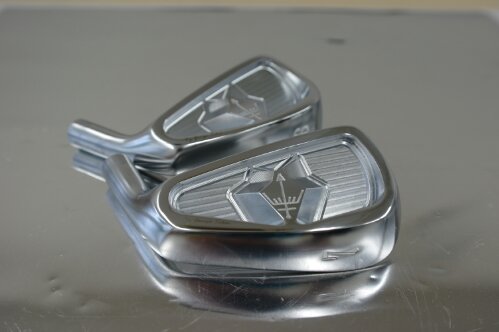
George Spirits 3D Mono Forged Irons
They now have new Mono 3D Emperor Iron also...
-
Fake Epon Personals?
Choo choo train tuckin' down the track gotta travel on it never comin' back ooh
-
How about george spirits?
-
New Epon Products - My Impressions - RF551 AF103 EHR
I-33?
- EPON High Repulsion - EHR Driver
- New PRGR egg spoon HD heavier and deeper model
-
Epon Putters?
- EPON Zero
bdgnss
Members
-
Joined
-
Last visited
Account
Search
Configure browser push notifications
Chrome (Android)
- Tap the lock icon next to the address bar.
- Tap Permissions → Notifications.
- Adjust your preference.
Chrome (Desktop)
- Click the padlock icon in the address bar.
- Select Site settings.
- Find Notifications and adjust your preference.
Safari (iOS 16.4+)
- Ensure the site is installed via Add to Home Screen.
- Open Settings App → Notifications.
- Find your app name and adjust your preference.
Safari (macOS)
- Go to Safari → Preferences.
- Click the Websites tab.
- Select Notifications in the sidebar.
- Find this website and adjust your preference.
Edge (Android)
- Tap the lock icon next to the address bar.
- Tap Permissions.
- Find Notifications and adjust your preference.
Edge (Desktop)
- Click the padlock icon in the address bar.
- Click Permissions for this site.
- Find Notifications and adjust your preference.
Firefox (Android)
- Go to Settings → Site permissions.
- Tap Notifications.
- Find this site in the list and adjust your preference.
Firefox (Desktop)
- Open Firefox Settings.
- Search for Notifications.
- Find this site in the list and adjust your preference.